Understanding the Limits of AI-Generated Embroidered Patch Designs
Why artwork that looks perfect on screen doesn't always translate to real embroidery.
AI can do a lot of impressive things, but creating production-ready embroidered patch proofs isn’t always one of them.
At first glance, AI-generated embroidered artwork can look amazing. To the untrained eye, it may seem like a perfect proof. However, real embroidery machines may not be able to duplicate the image. What looks good on a screen doesn’t always translate cleanly to thread and fabric.
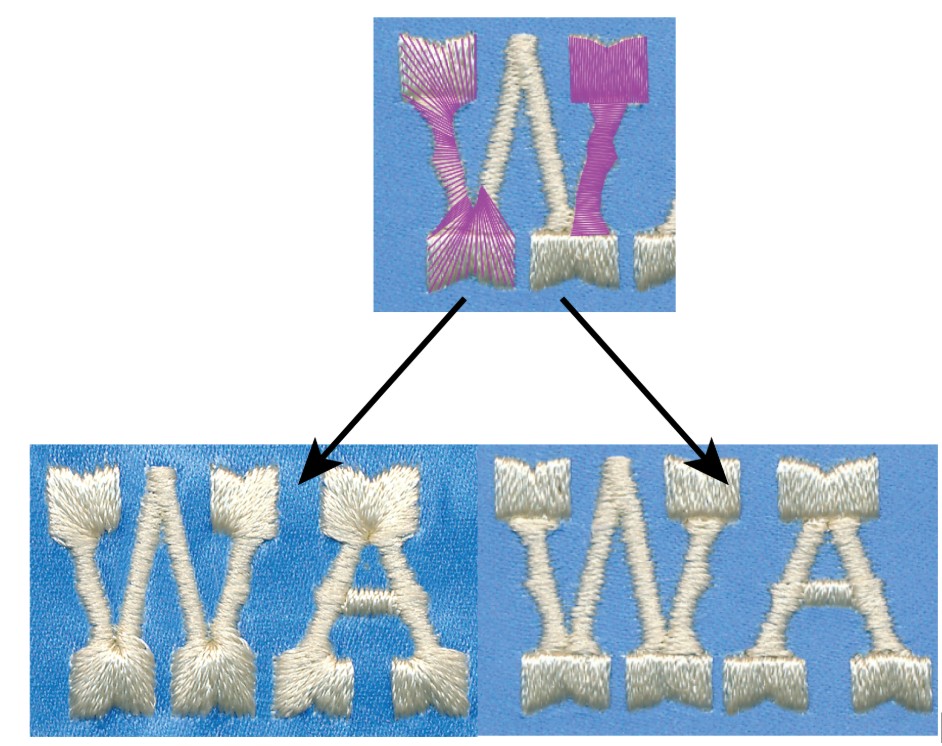
AI-generated artwork can depict embroidery techniques that are not practical for production. The example on the left shows stitching that mimics poor digitizing, while the version on the right demonstrates how proper digitizing produces a cleaner, more professional embroidered result.
Because of this, at Arrow Emblems we often need to have AI-generated artwork redone in vector format before we can proceed with embroidered patches. From there, our digitizing professionals determine the final stitched look to ensure the best possible result.
Common Issues with AI-Generated Embroidered Patch Art
Here are a few things that are often incorrect in AI-created “embroidered” designs:
- Stitch types that aren’t appropriate for the size of the design
- Areas shown as fill stitch that should actually be satin stitch
- Details displayed as a single solid thread when it should appear as a running stitch
- Too many colors (embroidery machines have limits; ours is 12 colors max)
- Excessive detail that won’t stitch cleanly
- Outlines that are either too many or too thin for proper satin stitching
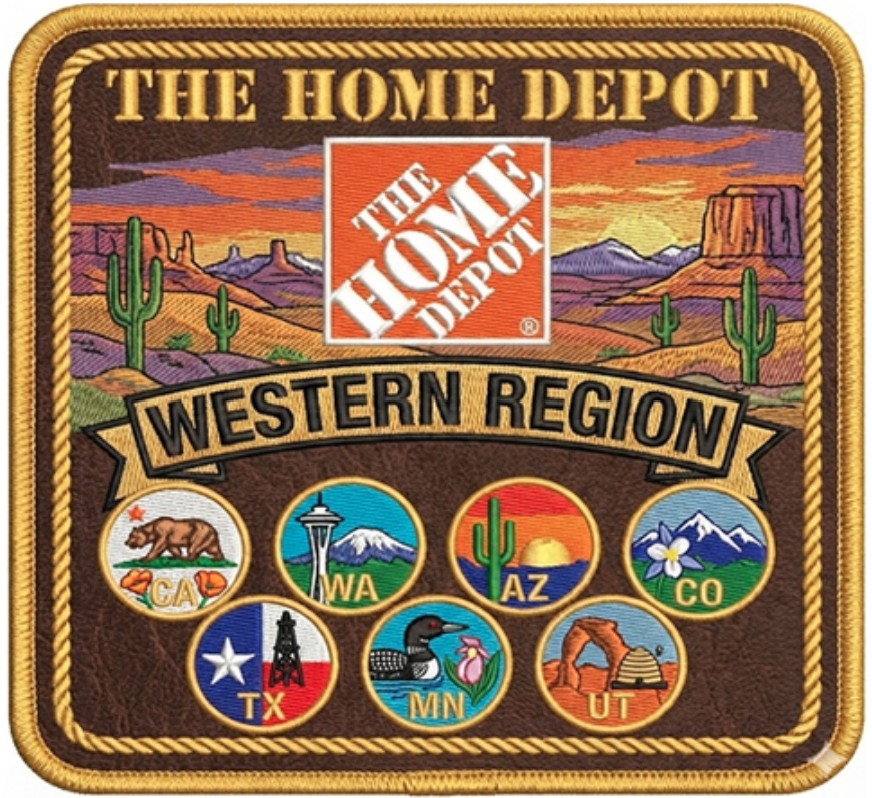
This design contains too many colors and fine details to be reproduced accurately as an embroidered patch. At a finished size of 3 inches, elements such as the bear, oil well, and beehive would need to be significantly simplified. The textured brown fill also could not be replicated with embroidery, so the finished patch would look noticeably different from the original artwork.
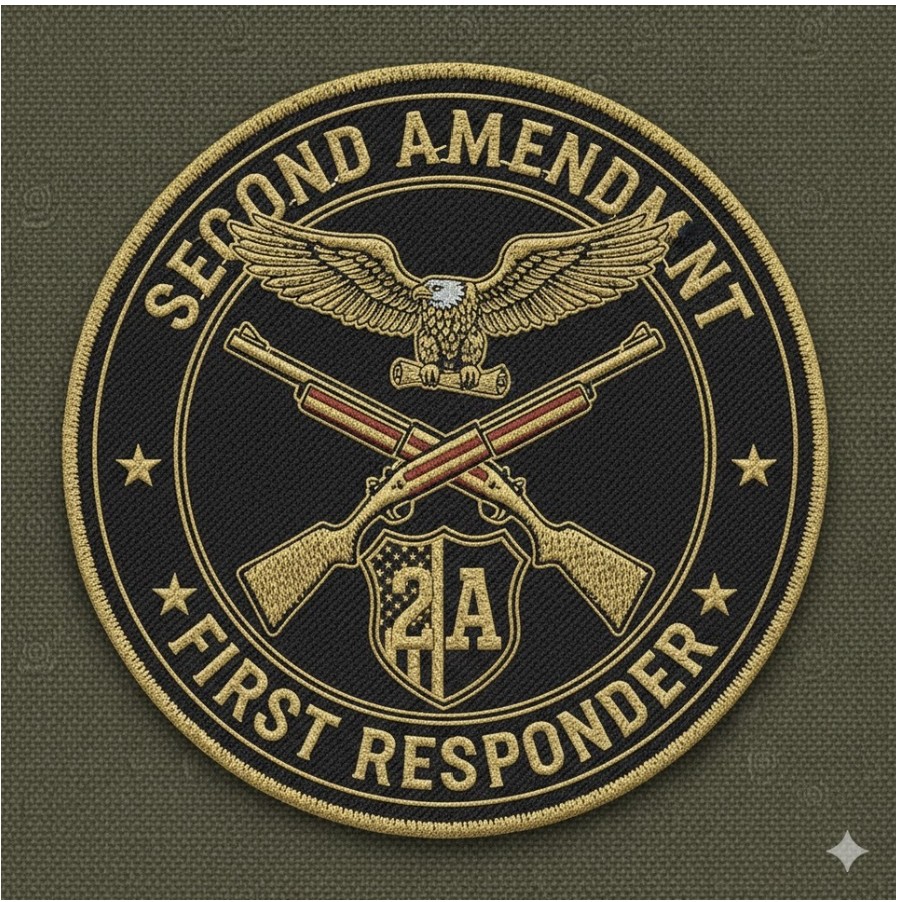
If this patch were produced at 3 inches, many details would need to be simplified. The thin black outlines in the eagle could not be embroidered as shown, the "2A" would require a satin stitch rather than a fill stitch, and the stars in the shield would need to be significantly reduced in detail. The double outlines would also need to be eliminated. Additionally, the word Amendment is misspelled in the design.
How Can You Tell If Artwork Was Created by AI?
This can be tricky, but there are some telltale signs:
- Extra or unnecessary jump stitches
- Extremely clean, sharp edges with no imperfections
- No visible bulges, tie-ins, tie-offs, or errant threads
- Stitch style or angle changes suddenly
Real embroidery usually has subtle imperfections, but AI often makes things look too perfect.
Things to Watch for in All AI-Generated Art
Even beyond embroidery concerns, AI artwork can have other issues, such as:
- Misspellings
- Repeated words, letters, or symbols
- Strange glitches (for example, warped stars or shapes that almost—but don’t quite—look right)
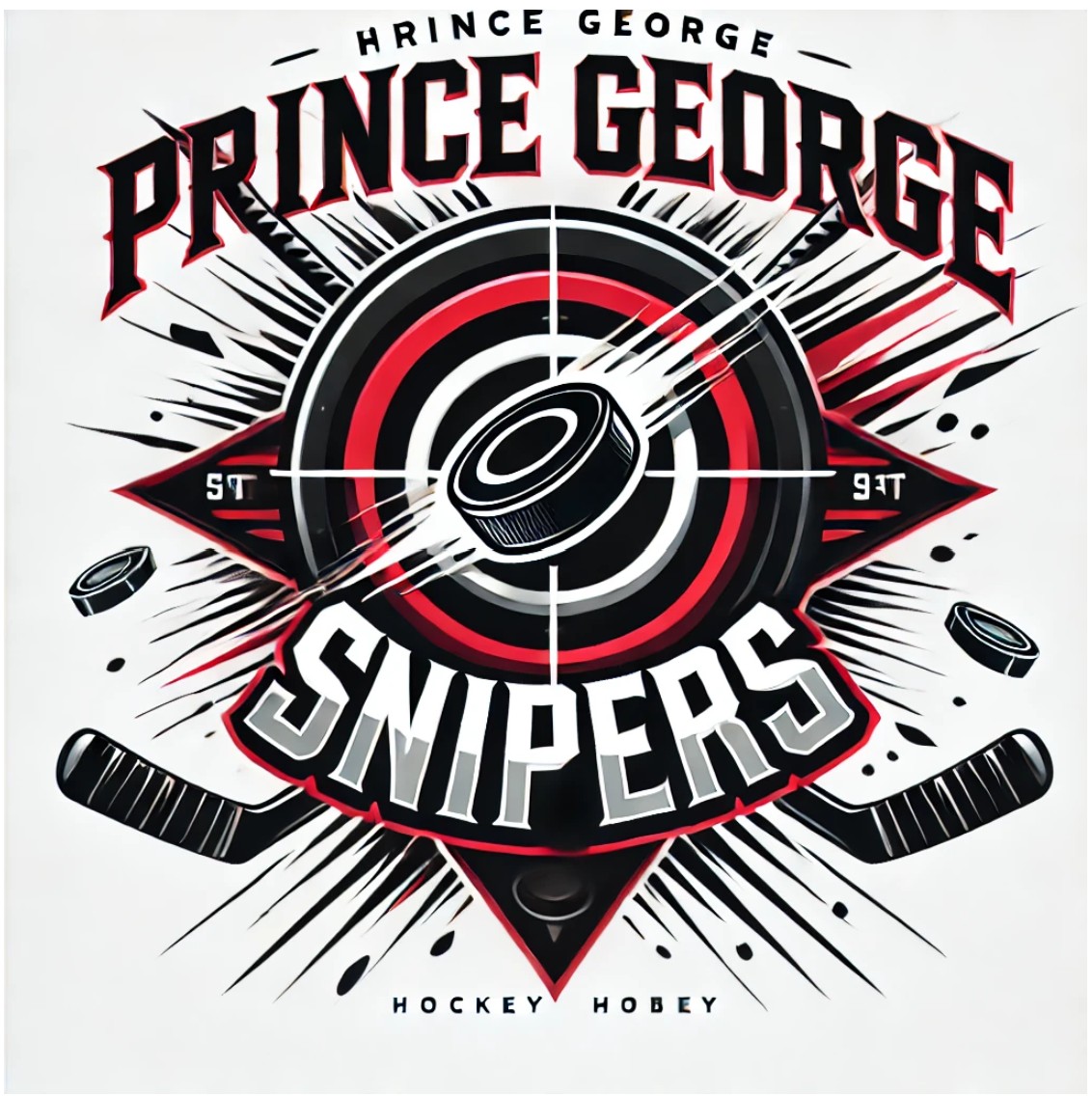
This AI-generated design contains several text errors, including a misspelled "Prince George" and nonsensical lettering such as "STT" in the side triangles and "Hockey Hobey" at the bottom. These types of spelling mistakes and invented text are common issues with AI-generated artwork and must be corrected before a design can be produced.
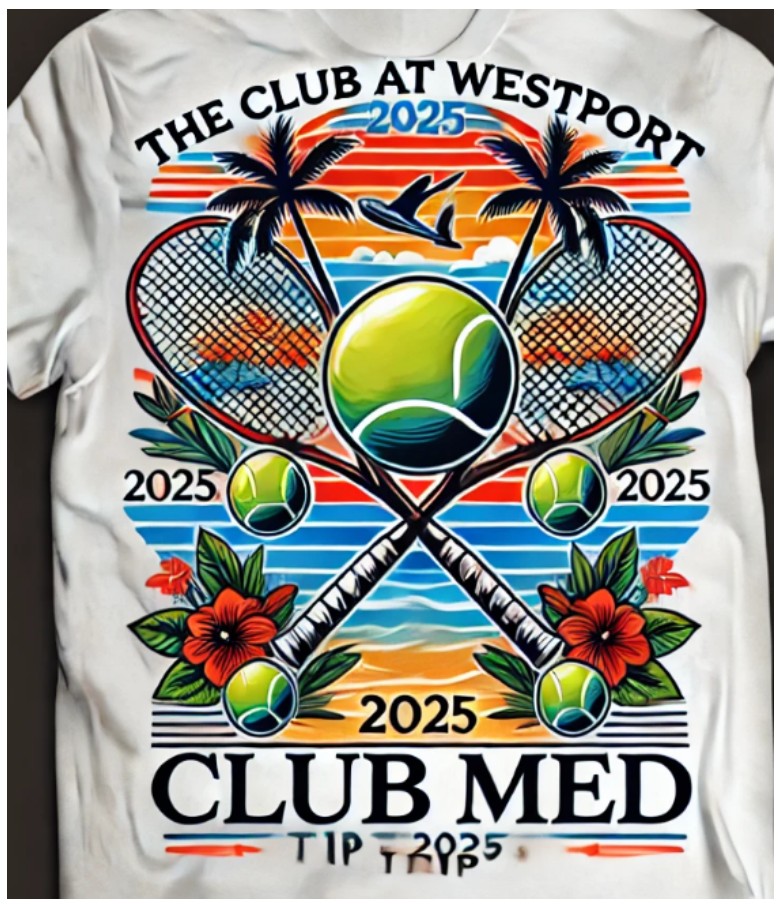
This AI-generated design contains several common errors, including misspelled or nonsensical text, redundant wording (such as repeating "Club"), impossible construction where the racket handles appear to pass through the netting, and duplicated tennis balls. These visual inconsistencies are typical of AI-generated artwork and require correction before the design is suitable for production.
So You Have AI Embroidery Art… Now What?
If your design is simple, or supplied as clean vector artwork, we can often set up a proof for you. If the design is complex, low resolution, or lacks sufficient clarity, vectorizing the artwork may be required. In some cases, especially when AI-generated artwork includes highly detailed, photographic, or difficult-to-embroider elements, we may also recommend sublimated or photo-over patches to better reproduce the original design. To get started, our artists may need the following information:
- Desired final size of the artwork
- A maximum of 12 colors
- Simplified outlines and small details
- Text that is at least 0.25” tall
Thanks for reading! If you have any questions, please don’t hesitate to contact our helpful service team. We’re always happy to help.